Google Introduces Display Labels for AI-Generated Ads
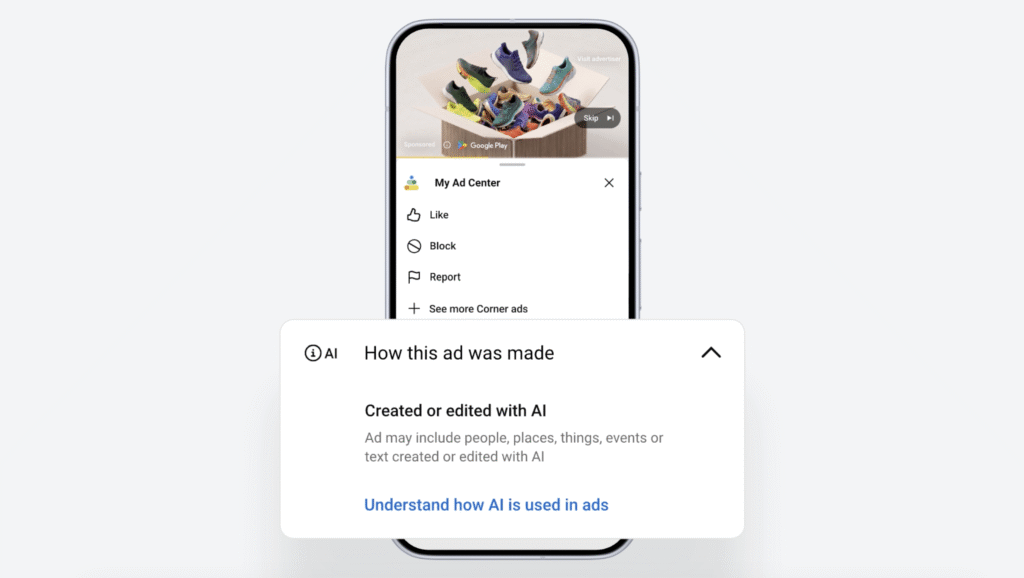
Google has introduced a feature that allows users to check whether ads displayed on Search, Google Discover, and YouTube were created or edited by artificial intelligence. Users can view information regarding how ads are created by opening the My Ad Center panel by tapping the three-dot menu or the info button next to an ad. Newly added items are labeled "Created or edited by AI." On the same screen, users can also access features to block or report specific ads, just as before.
This update is a measure aimed at enhancing ad transparency amidst the rapid growth of ad creation utilizing generative AI. Google explained that it automatically applies relevant labels to ads created using its own generative AI ad tools. However, for AI ads generated by external tools, advertisers must manually apply labels. Consequently, not all AI-generated ads are automatically identified, and the scope of display may vary depending on the ad creation environment and the advertiser's input.
Google has recently been expanding its AI-based advertising tools that allow advertisers to create or modify images and text. These labels can help users understand how content is created when viewing Google Search Ads, YouTube Ads, and Discover Ads. In particular, given that AI images and videos can resemble real footage, the disclosure of advertising information is considered a factor that influences platform trust and user choice. Google's AI ad labels may be operated differently depending on regional policies and scope of application.
From freelancer to head of design at a unicorn startup, I've been creating impact through brand and product design for over 18 years. Currently, as CEO and editor-in-chief of Design Compass, I research design that drives business impact.