Google has started introducing two new productivity-boosting features to Chrome. The key features of this update, released on April 7, are Portrait Tabs and Immersive Reading Mode. Google explained that these features help keep the browser screen more organized and allow users to handle many tabs and long texts more efficiently. According to official announcements, the features are being rolled out sequentially.
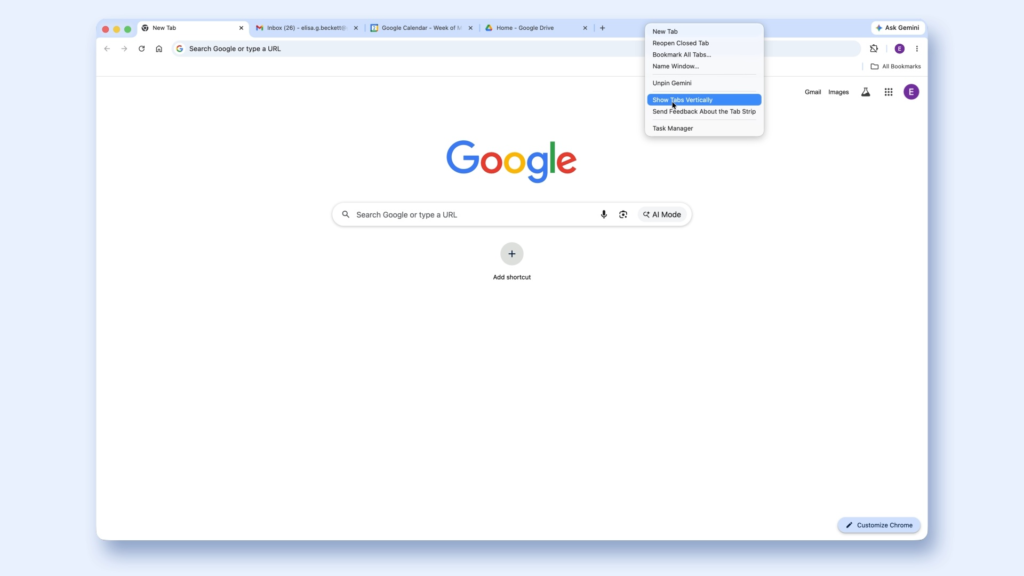
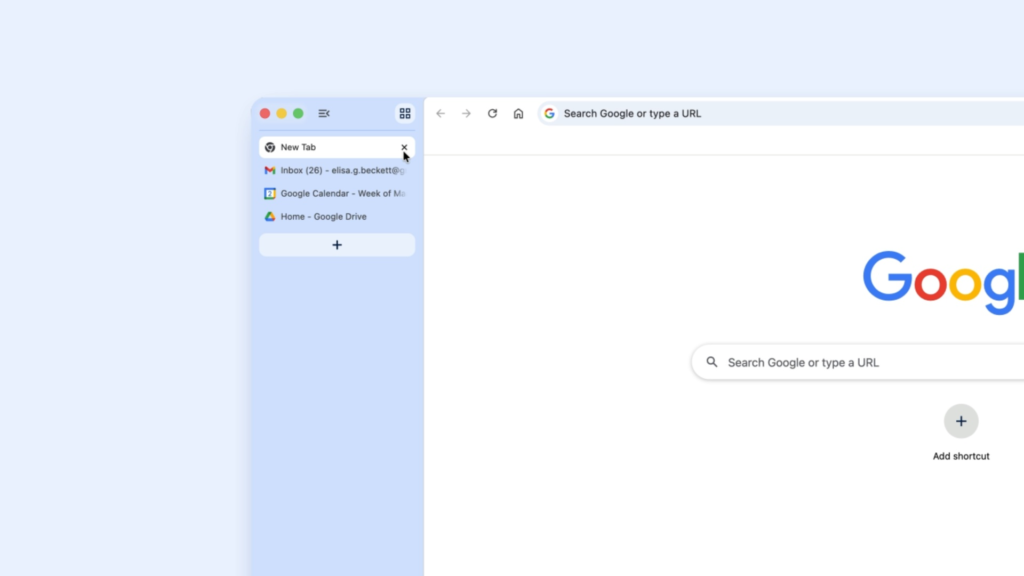
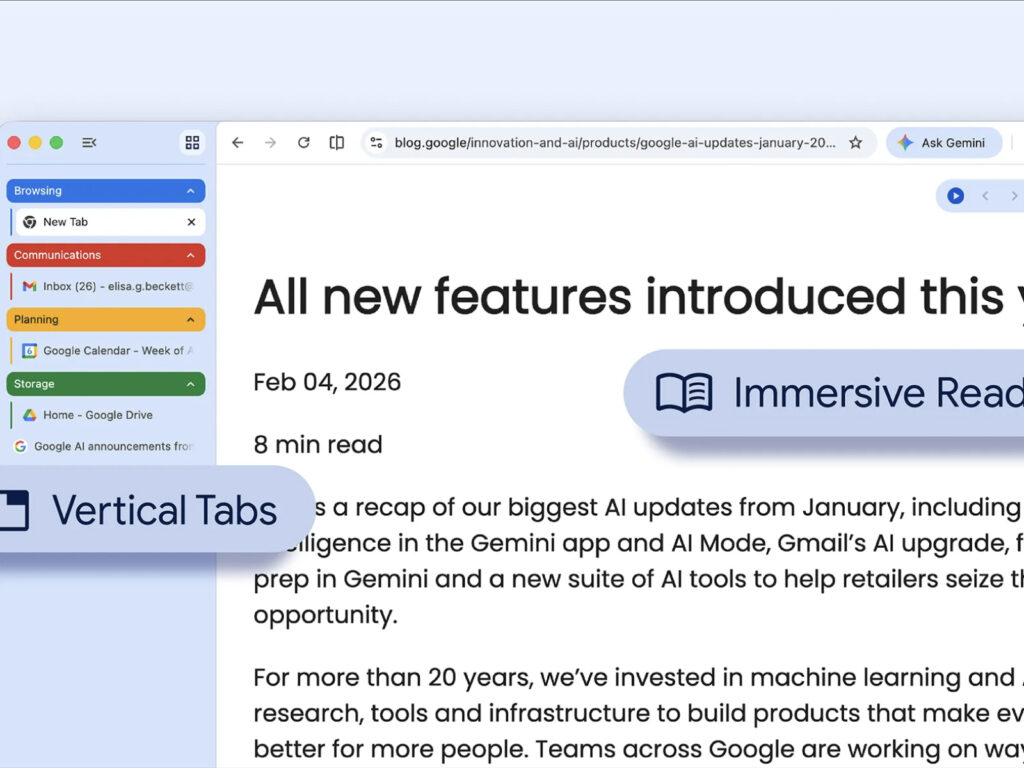
The most noticeable change is vertical tabs. Users can now right-click a Chrome window and select 'Show Tabs Vertically' to arrange tabs vertically on the left or side of the screen, rather than at the top. The advantage of this method is that it allows for longer tab titles to be displayed. Even if the number of tabs exceeds double digits, it becomes easier to identify which pages are open at a glance, and managing tab groups becomes more convenient. This is a welcome change for users who handle multiple tasks simultaneously.
The reading experience is also changing. Chrome's Reading Mode, which was already designed to reduce clutter on web pages to allow users to focus on the text, has now been expanded into a new full-page interface. Users can right-click on a page and select 'Open in reading mode' to read content centered on the main text on a screen reduced in advertisements and complex visual elements. Google explained that this can transform busy web pages into a more immersive reading environment.
This change aligns with the trend of Chrome evolving beyond a simple web access tool into a workspace tailored for work and learning. Vertical tabs allow the browser to be treated like a file explorer or collaboration tool, while Reading Mode is designed to reduce fatigue associated with content consumption. Although this update addresses long-standing inconveniences rather than introducing new technology, it is highly likely to be frequently used in practice. This is because, given Chrome's vast user base, even small interface changes can fundamentally alter web usage habits.