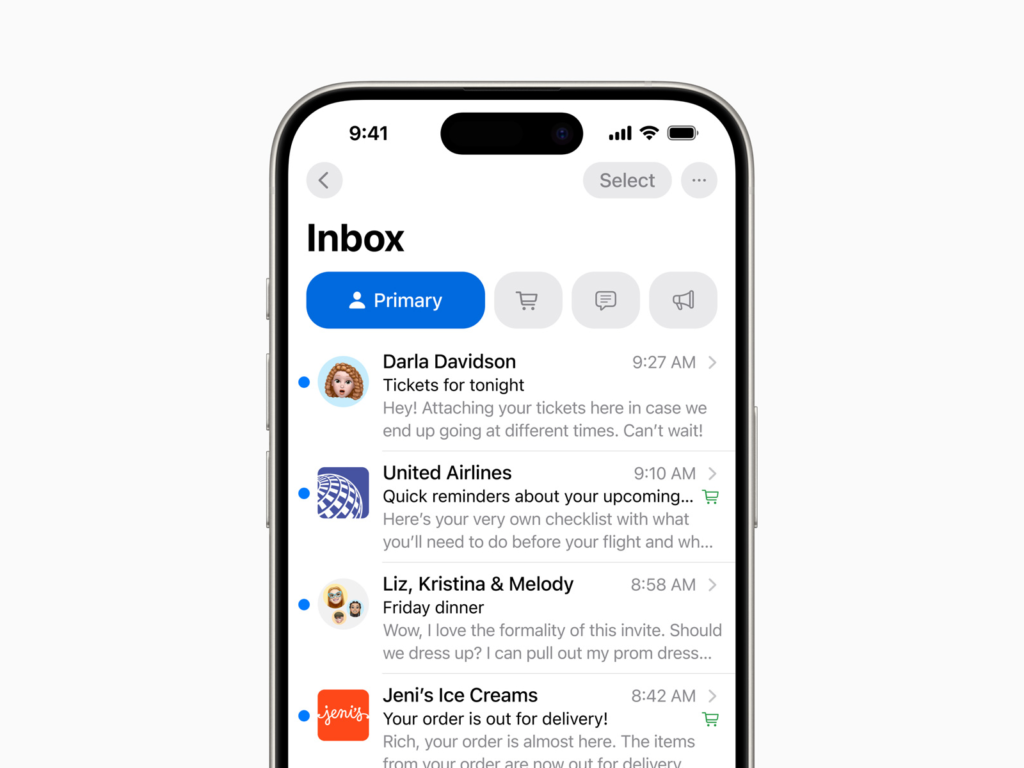
Apple has made significant changes to the Mail app in the iOS 18.2 beta update. The Mail app now looks more like the Messages app. Instead of being full of text, the inbox is now visually richer, with the sender’s profile picture or business logo displayed. If a business logo is not registered, an icon using Apple Maps data is automatically applied.
The Mail app automatically organizes your inbox into four categories: Primary, which collects your most important messages; Transactions, which manages order and shipping information; Updates, which organizes newsletters and notifications; and Promotions, which displays your business’s promotional messages. Each category is further subdivided into New and Old Messages, and user notification badges can be set to reflect only your most important messages. There’s also an option to reflect all messages as before.
If you don't like Apple's automatic sorting system, you can manually adjust message sorting. If you prefer the traditional integrated inbox, there are two ways to restore it. The first is to swipe left on the screen to activate the 'All Mail' view, and the second is to change 'Category View' to 'List View' via the three-dot menu in the upper right.
The newly introduced Digest view groups together messages from the same sender, helping you check messages at a glance. This feature can also be disabled if needed.