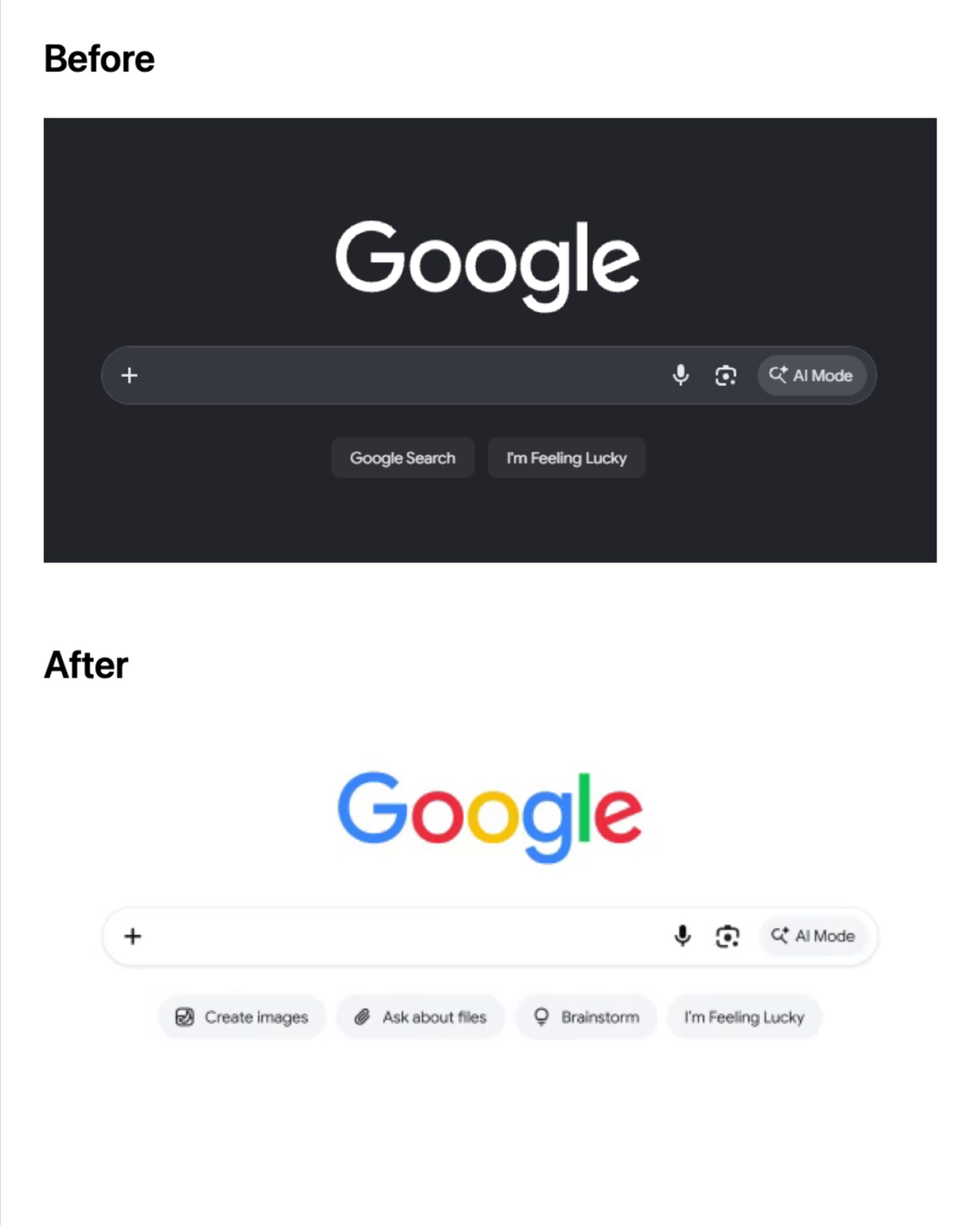
For a long time, the Google Search Home was remembered for having just a single search bar. The Google logo stood in the center of a wide white space, with a search input field below it. The two buttons, 'Google Search' and 'I'm Feeling Lucky,' were where you decided what to do with the entered search term. Google has begun to change this familiar desktop home screen.
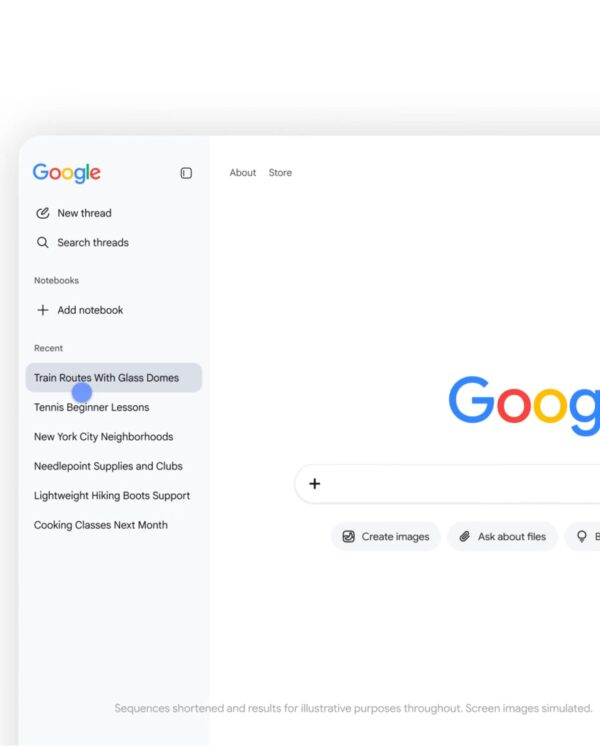
The most noticeable change is located right below the search bar. 'Create images', 'Ask about files', and 'Brainstorm' have been placed side by side on the line where the 'Google Search' button used to be. Users can now choose whether to create images, ask about files, or brainstorm ideas before typing a single character. 'I'm Feeling Lucky' remains to the right of the three buttons. If you enter a search term and press Enter, web search results open just like before.
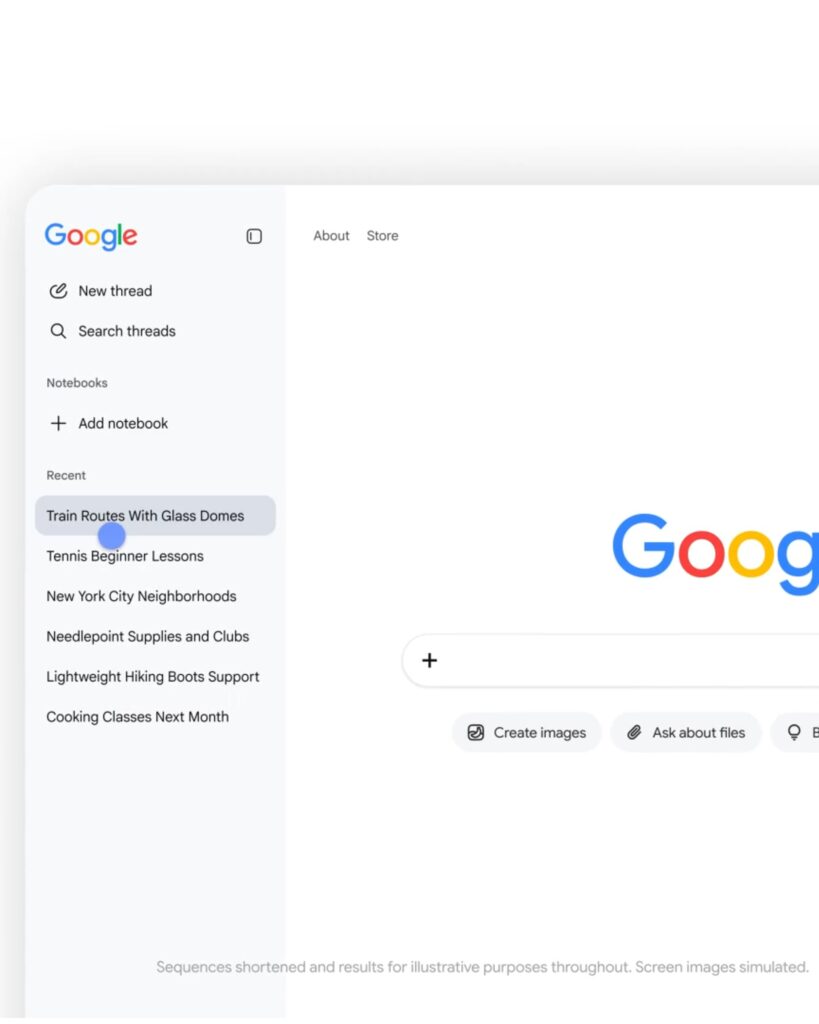
A thin gray bar appears at the left edge of the screen. Tapping the bar expands the panel, displaying conversations from Google Search's AI mode by title. Logged-in users can select past conversations here and add questions to the last answer. Collapsing the panel makes the conversation list disappear, and the logo and search bar return to the center of the screen.
In this redesign, Google retained the logo and search bar that have symbolized the Home, while changing the functionality of the surrounding areas. Tasks you can start right now are placed below the search bar, and conversations you left off are placed to the left. Robbie Stein, Google’s VP of Search Products, unveiled a demonstration video on November 19 (local time) and explained that there has been an increase in searches that do not end with a single question. The new sidebar is being rolled out sequentially to desktop search homes worldwide.
More and Sources