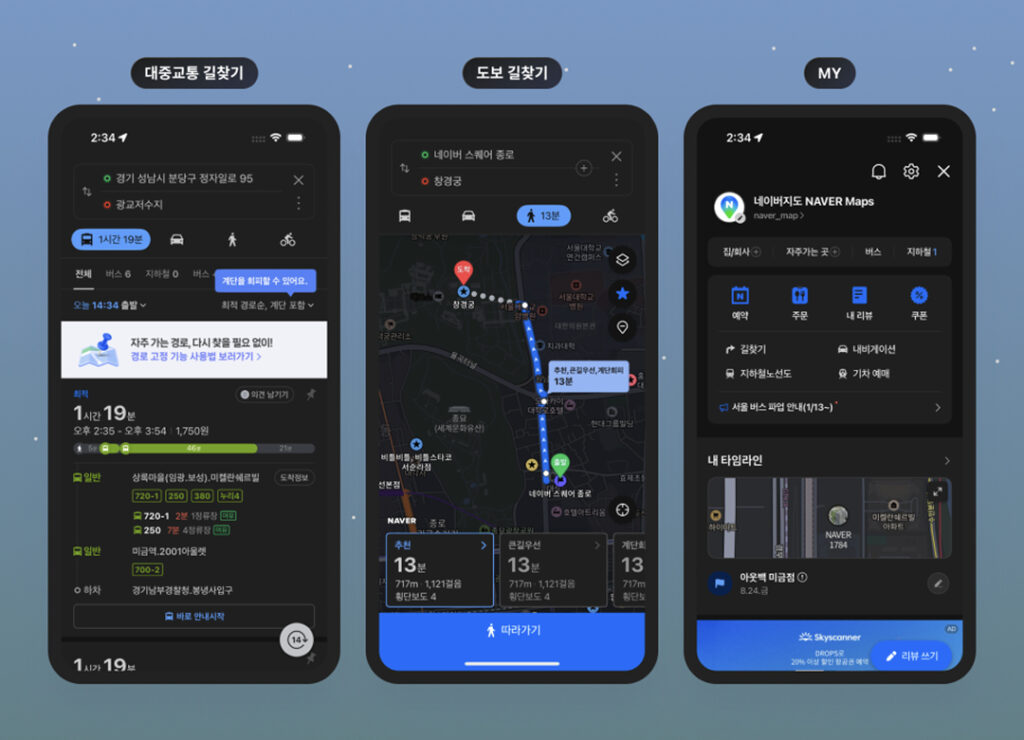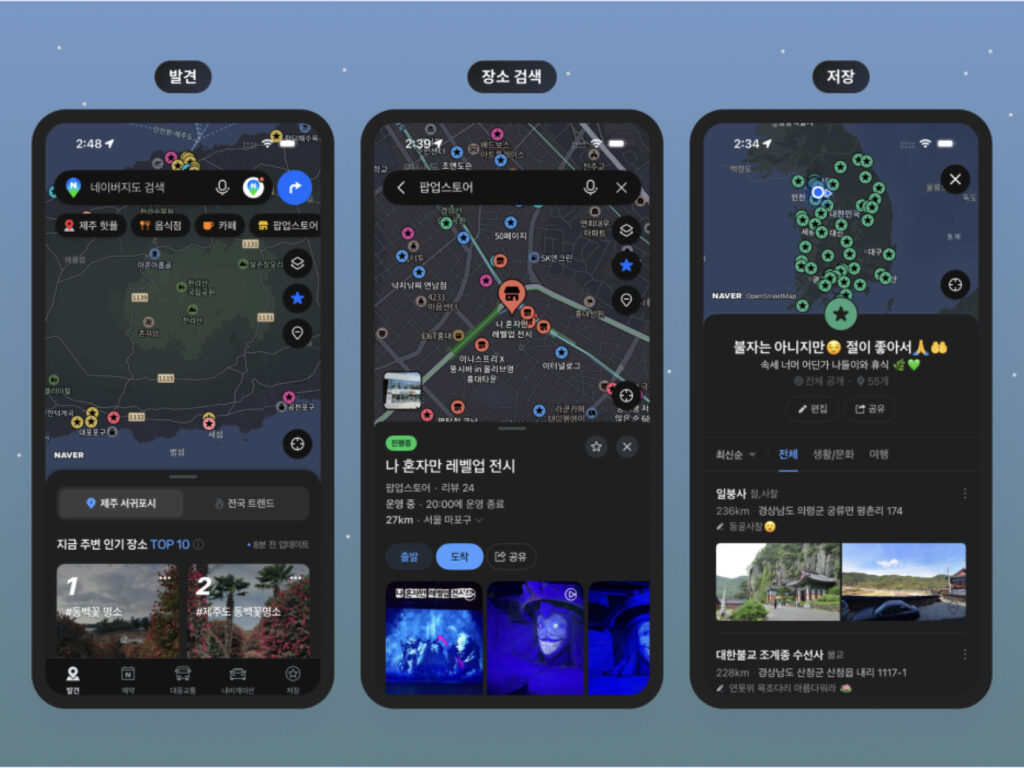
Naver recently began officially supporting Dark Mode through the Naver Maps version 6.3 update. It has been fully implemented on iPhones, and rollout to Android smartphones is proceeding sequentially.
Dark Mode is a user interface feature that lowers screen brightness by applying white text to a dark background instead of a bright one. It can reduce eye strain in nighttime or dark environments and help conserve battery power.
While Google Maps has provided dark mode as a standard feature, Naver Maps has only supported it restrictively in car navigation mode. With this update, dark mode can now be utilized across all app functions, including place search and navigation.
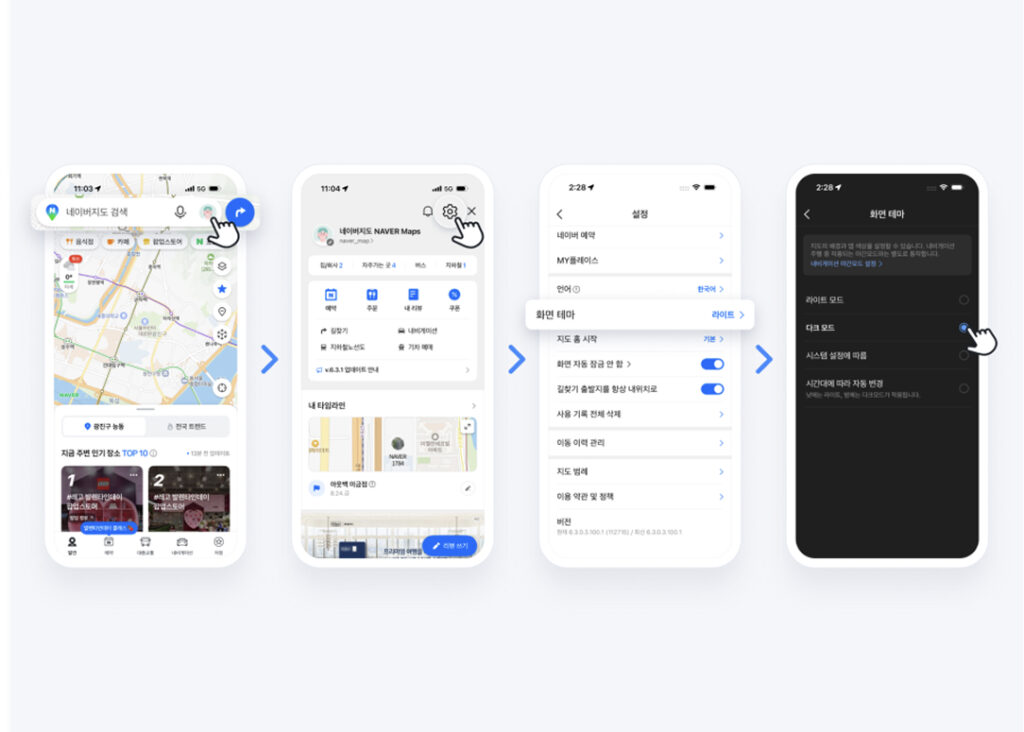
Users can activate the feature by selecting a screen theme in the map app settings menu. The theme options consist of four types: Light Mode, Dark Mode, System Settings, and Automatic Change based on the time of day.
This redesign is interpreted as going beyond a simple color change to an advanced interface tailored to the user environment. It appears to be a strategy aimed at simultaneously enhancing visibility and convenience amidst increasing dwell time and usage frequency in mobile environments.