Toss Securities has officially launched the Toss Securities PC service. Toss Securities PC is a service that expands the Mobile Trading System (MTS) that could be used with the existing Toss app into a Web Trading System (WTS). Mobile and PC are linked, and you can use it on the web anytime and anywhere without having to install a separate program, and you can easily log in by authenticating yourself with a QR code.
The design is simple, as expected from Toss. Home, News, Stock Selection, My Account, and Stock Search are placed in the navigation tab. You can check comprehensive stock information on the home page. You can receive general news in the news.
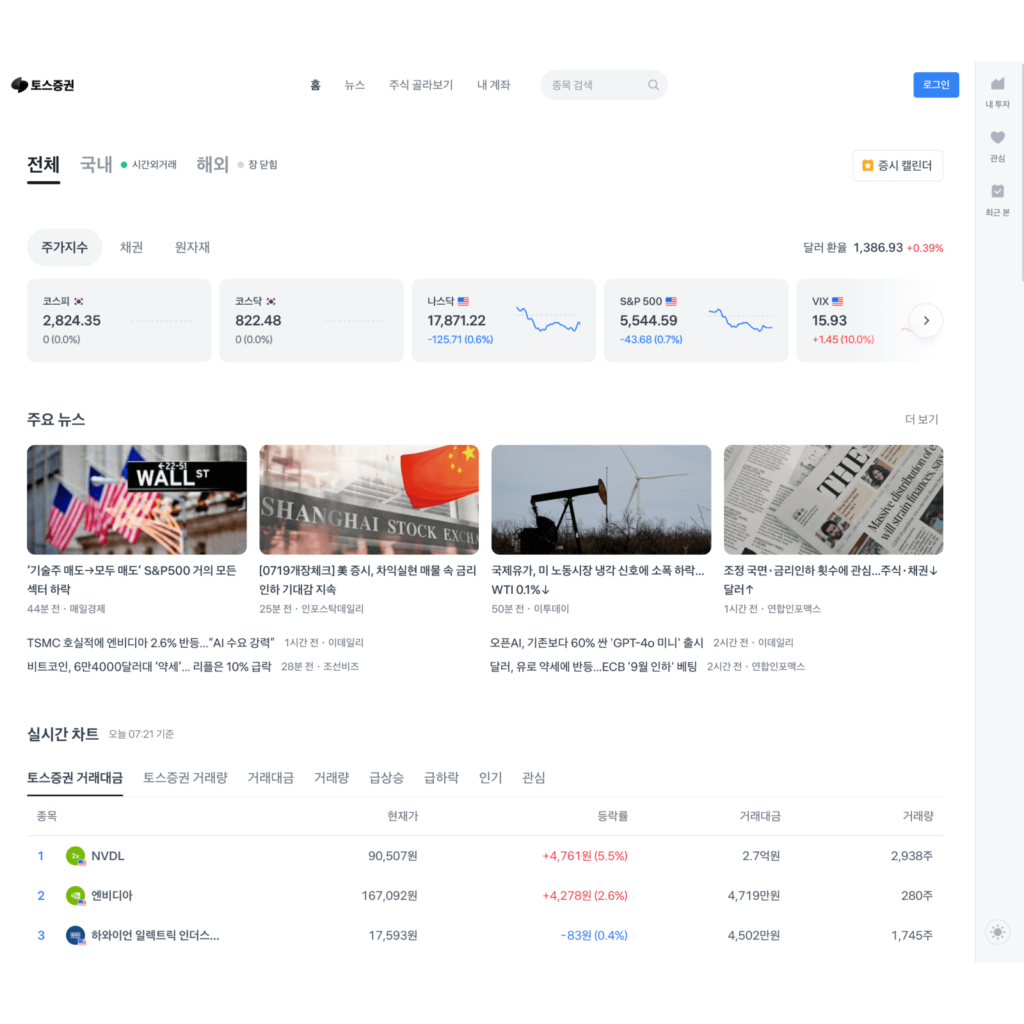


The 'Stock Picking' feature helps even beginners easily invest in the stocks they want. Instead of unbelievable clickbait scam phrases, you can find stocks based on corporate value, profitability, and dividends, which are important factors when investing. It provides filters for keywords that investors frequently search for.
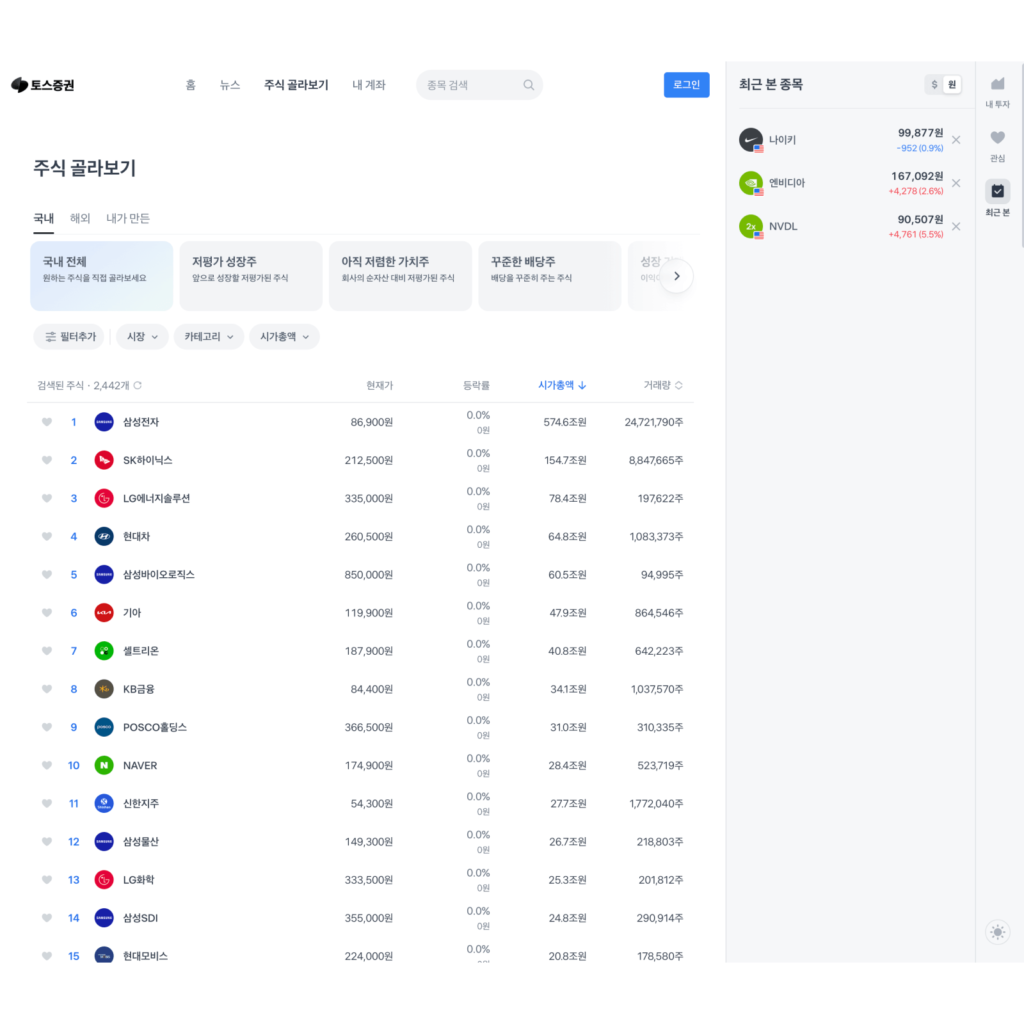
Information related to the user's actions, such as where I invested, what I'm interested in, and what I recently viewed, can be found in the right sidebar panel. In a typical web design pattern, this would be hidden in the account menu. This is a clever use of the large space on the desktop.


Stock trading is complicated and difficult. When you invest in stocks, you see screens full of complicated graphs and numbers on 3-4 monitors. Usability and aesthetics are not considered, so it feels like looking at a computer screen from 20 years ago. The speed of information update was the most important, and new users were hardly considered.
Toss has revolutionized the complex and difficult banking service market with a great UX. The PC version of this home trading system is like using a 4K monitor after using a CRT monitor. I am looking forward to how the surprisingly complex and difficult stock trading service market will change in the future thanks to Toss.