Naver has combined the 'Public Transport' and 'Navigation' sections at the bottom of the Naver Maps app into a single 'Movement' tab. The screen has been revamped to consolidate the menus used for public transport and car route finding into one place, and to allow users to view walking records and popular nearby destinations together. This change is visible in the iPhone app starting with version 6.12.0, released on October 29.
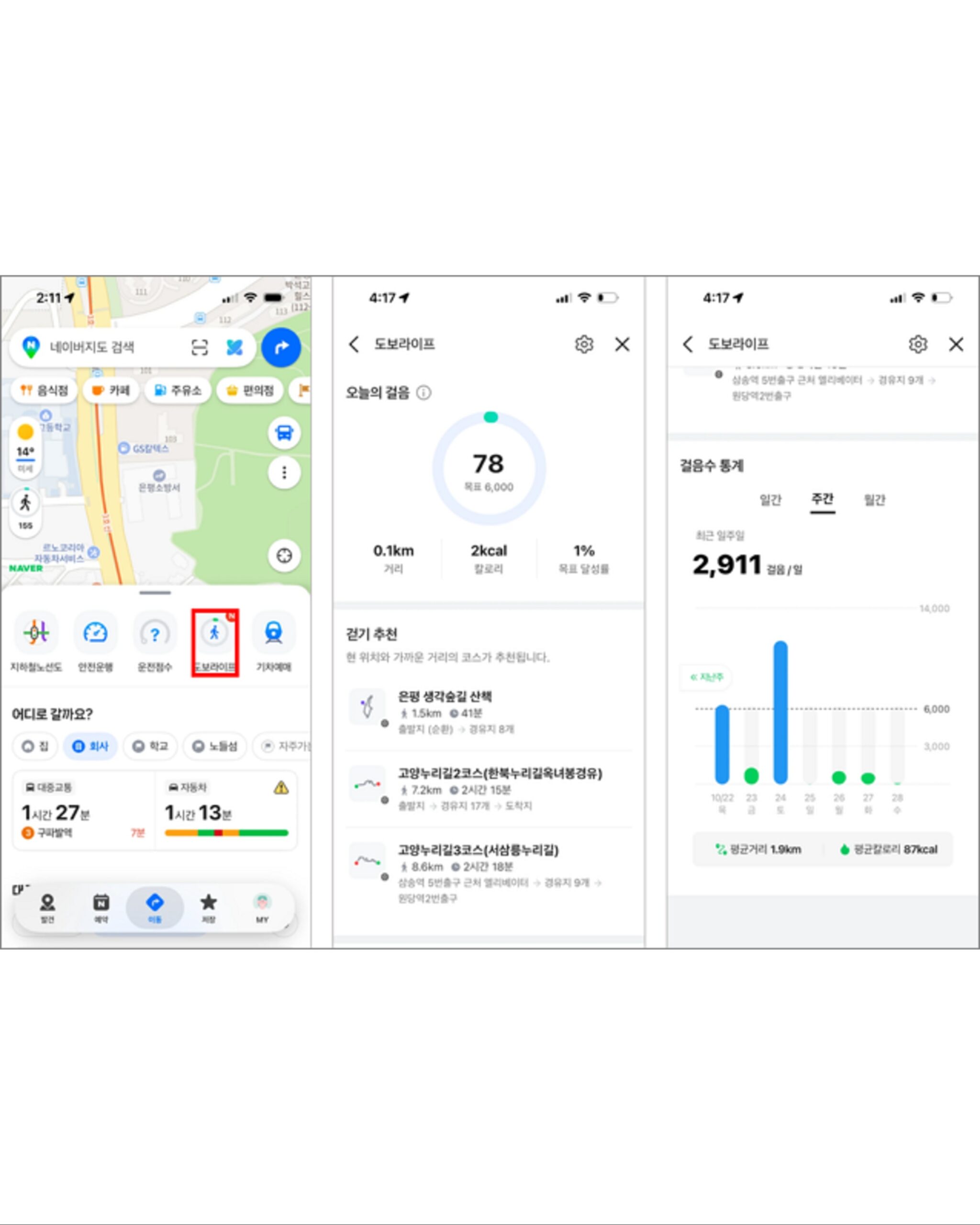
‘When you open the 'Travel' tab, subway routes, driving scores, walking life, and train booking shortcuts appear below the map. In the 'Where to go?' section below that, you can select frequently visited destinations, such as home or work, and view estimated travel times for both public transportation and car side by side. You can also configure the settings to have the 'Travel' tab appear first when opening the app.
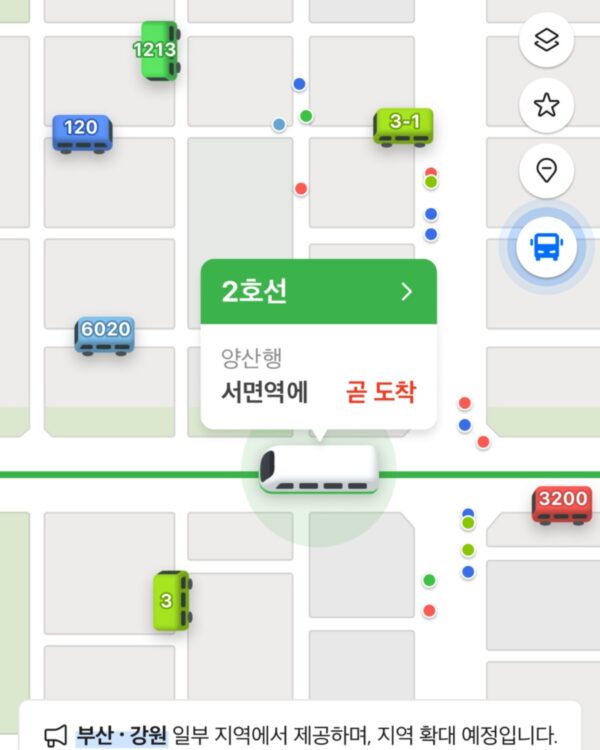
A feature displaying the real-time location of buses and subways has also been added to the map. If you enable the feature in the 'Movement' tab and zoom in on the map, you can see where buses and trains are currently moving in supported areas. In the guidance image released by Naver, bus numbers are displayed above vehicle icons, and selected trains are accompanied by information regarding their route, direction, and arrival at the next station. As of November 3, the service is available in Busan and parts of Gangwon Province, and Naver plans to gradually expand the supported areas.
When you start recording your walk, you can view the number of steps taken today, the distance traveled, and the calories burned. You can open today's step summary on the map screen, and check daily, weekly, and monthly statistics in 'Dobo Life'. You can also view nearby places that were frequently visited within the past hour, categorized by type such as restaurants and cafes. On the route finding screen, you can now compare travel times before departure, view vehicle locations while on the move, and check your step records after arriving.
See more and sources
Naver Maps App Store Version History
Naver Map Customer Center — Map App Home Bottom Tab Guide
Naver Maps Customer Center — How to Use Today's Steps