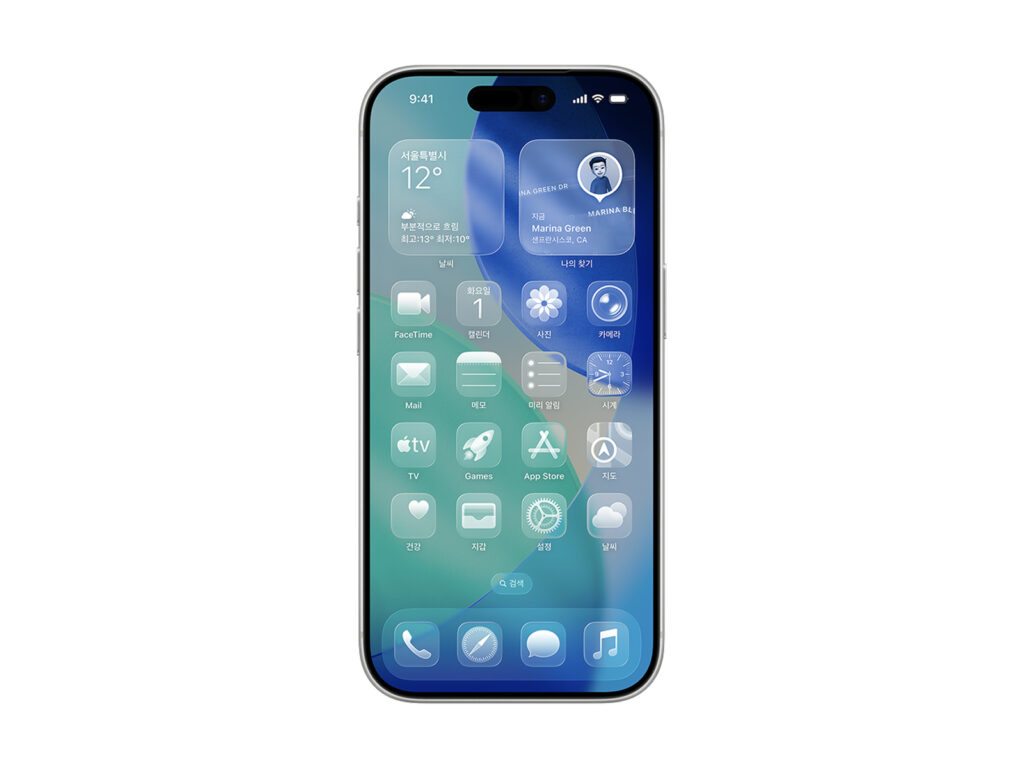
Apple today officially released the latest versions of its platforms, including iOS 26. The update includes significant changes across design and artificial intelligence capabilities, and is available for iPhone, iPad, Mac, Apple Watch, Apple TV, and Vision Pro.
At the heart of the new design is "liquid glass." This translucent material provides a visual effect that reflects and refracts the environment around you and helps you focus on content. Beyond a simple cosmetic change, we focused on enriching the overall system experience.
iOS 26 brings a host of real-life conveniences, including real-time call translation, message background customization, call screening, and Hold Assist. The new Apple Games app allows for personalized game discovery, music lyrics translation and pronunciation were introduced to Apple Music, and the Maps app added the ability to record "Places You've Been".
iPadOS 26 introduces an intuitive window management system to improve multitasking productivity, and preview apps are now fully available on iPad. It also includes dock folder functionality, improvements to the Files app, and audio control and high-quality recording for professionals.
macOS Tahoe brings a huge boost to productivity with major improvements to Spotlight, as well as enhancements to Control Center, Live Actions, Shortcuts, and more. There's also a transparent menu bar and color customization.
watchOS 26 further enhances health features: a new sleep score feature and high blood pressure alerts have been approved by the US FDA. Workout Buddy, which provides real-time motivation during your workout, uses AI voices generated based on the voices of Apple's Fitness+ trainers to make it more engaging. It also supports gestures to dismiss notifications or return to apps with a simple flick of the wrist.
tvOS 26 enriches your living room entertainment with karaoke experiences, including the "Sing feature" that lets you use your iPhone as a microphone, FaceTime contact posters, and personalized profile improvements.
With visionOS 26, we introduced spatial widgets, new personas, and stereoscopic photo viewing, and enhanced collaboration with the ability to embed 3D objects within Safari, further evolving the spatial computing experience.
We've also enhanced our accessibility features. We've created a more inclusive user experience, including screen magnification tools for the visually impaired, real-time captioning for the hearing impaired, and support for users with Braille displays.