Notion is an all-in-one productivity tool founded by Ivan Zhao in 2013. It started out as a tool for individuals and teams to take notes, manage projects, and build databases.
It is a block-based system that allows users to build their own workspace, integrating multiple functions such as notes, lists, calendars, wikis, and databases in one place. It provides flexibility for various teams and individuals to use it freely to suit their own work style.
Since 2018, it has been popular among creative teams and small startups for its useful flexibility and beautiful interface, and naturally, it has had a viral effect among users. In 2020, Notion's users skyrocketed due to the spread of remote work caused by the pandemic. The estimated revenue in 2022 was approximately 80 billion won, and the company value was 13 trillion won. As of August 2024, it exceeded 100 million users worldwide.
A beloved tool for businesses, teams, and individuals around the world, it is now constantly evolving to help you increase productivity, boost creativity, and collaborate more efficiently.
Notion's in-house design team developed its own brand visual identity, and it did a great job of expressing Notion's identity in a way that anyone can use intuitively.
We do not use colors that represent the brand, and only use pure black and white colors without saturation. We also rarely use color in illustrations, and only use color for elements that absolutely need to be emphasized.
The symbol displays an N with serifs and an N with serifs in a rounded cubic shape. It resembles alphabet blocks that children in the West play with, making the service seem easy and simple.
The wordmark is Articulat CF, a reinterpretation of the Swiss typography style by Connary Fagen Type Design. The official website uses Inter, an open-source font designed by Rasmus Andersson in 2017. It is a system font optimized for the digital environment and has a similar feel to SF Pro, which is used in Apple products. It also supports optimization for modern web technologies such as NextJS, which helps with performance.
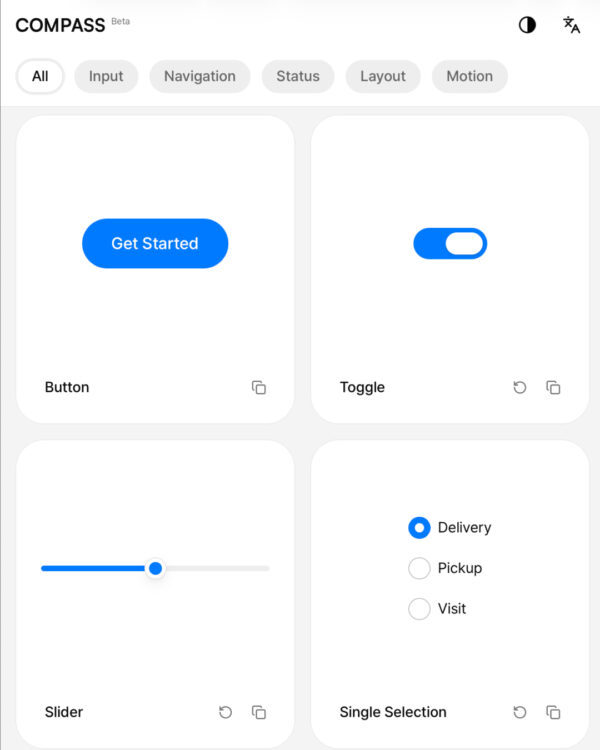
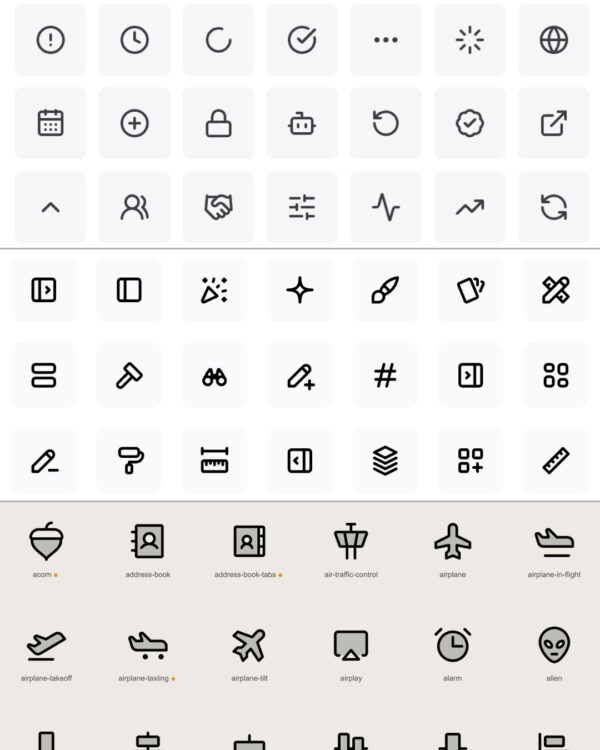
The unique UI design has become the standard for modern interface design. The minimal text and icons are in light gray and stand out from the screen. The pop-up windows that appear when the user needs them are refined to a high degree of color and boldness, and are delicate like thin glass.


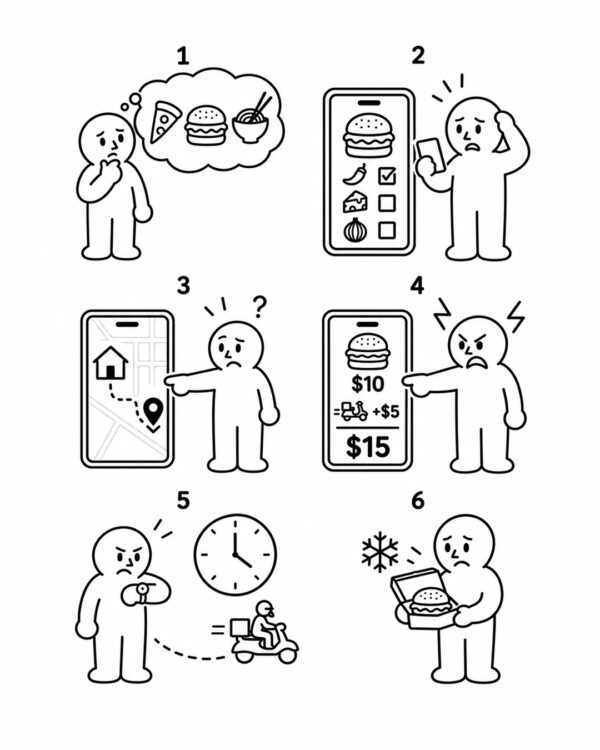
Notion’s signature illustrations are by Roman Muradov, an Armenian artist based in London who describes himself as “moderately renown.” Roman creates illustrations in a unique style that maintains Notion’s minimalist design philosophy.
The character's face and body are expressed simply as if they were in a fairy tale. The body proportions are similar, and no skin color is used, so no racial characteristics are revealed. The soft curves are like hand-drawn ink, and the halftone used to express light and shade is similar to the screentone used in comics. By actively expressing physical characteristics found in the real world, you can feel the human touch even in a digital environment.
Notion's illustration style itself contributed to making the brand 'Notion' widely known. As its popularity grew, people wanted to use the illustrations themselves. Accordingly, many artists worked on projects that could create illustrations in the Notion style. Various illustration creation services such as Notioly, Motion Illustrations, and IllustraAI emerged, and among them, Pablo Stanley's open source illustration project Open Peeps became popular through Figma, contributing to the wide recognition of the Notion brand.


Notion founder Ivan Zhao believed that digital products should maximize the creativity of users. He emphasized the importance of design and UX before launching the product, and focused on a simple and intuitive interface that anyone can use.
So, Notion is a modular block design that allows anyone to easily and conveniently create documents. The block design makes it easy to handle complex content by dividing it into small units. It is easy to change the position of blocks as a whole, and the same blocks are good to use repeatedly inside and outside of documents.
Users can learn how to use it by starting with simple text blocks and adding more complex content blocks, such as tables or databases, as needed.
Previously, document writing tools usually exposed various tools needed for writing to the outside. However, Notion did not focus solely on writing 'articles', but rather on the experience of handling blocks. Therefore, when you first create a document, we minimized the visible elements as much as possible.
When adding a block, users are given the choice of what type of content they want to include, and the tools they need to create content are exposed appropriately. Only the visual elements necessary for the user’s context are added, so that they can focus on their work without unnecessary cognitive load. It’s a clever design that makes users see the finished document more often than the process of creating it.


Notion makes it possible for anyone to create beautiful documents with minimal effort.
When creating, too much freedom can actually hinder progress. Notion has divided the area where users can freely show off their creativity and the area where Notion takes care of the rest.
Software for production usually has poor default settings. Since the creator will change it to suit his or her taste anyway, there is no need to improve the level of default settings. However, Notion is carefully designed so that users can get great results without changing the default settings.
The typography, the foundation of the writing tool, is beautiful enough to look like a well-designed poster or website on its own without having to adjust the weight, kerning, or line spacing separately. The color palette, consisting of 10 representative colors, harmonizes well in both light and dark modes.
In this way, Notion has helped create high-quality documents by imposing design constraints. It has reduced the design concerns that users have to deal with and has designed it so that they can focus on organizing content.


As the number of users grows, more and more people are free to use Notion in their own way.
I wrote simple notes or journals with text blocks, organized tasks with checkbox blocks, and tracked my progress toward achieving my goals. I organized lists and information about things I needed to pack for a trip into a wiki, or made a database of my favorite books and movies into tables.
As usage became more sophisticated, teams and companies began using it to manage projects. They tracked project progress with Kanban board blocks and created a database of meeting records. Furthermore, companies emerged that managed complex company assets and inventory, and even handled customer management, the most complex and difficult management area, with Notion.
Since Notion documents could be copied by anyone with permission settings, anyone could easily obtain good templates. Later, as cases that pushed Notion’s possibilities to the limit emerged, a marketplace for selling Notion templates emerged. This structure expanded the range of things users could do with Notion and promoted Notion directly.


We monetize through a subscription-based SaaS (Software as a Service) model. We offer a variety of features and pricing options for individual and team users, and we operate differentiated plans that match the needs of our customers, from free plans to premium plans.
We also generate indirect revenue through our template marketplace. We are taking the strategy of expanding our ecosystem and increasing user inflow by providing a platform where users can sell templates they have created.