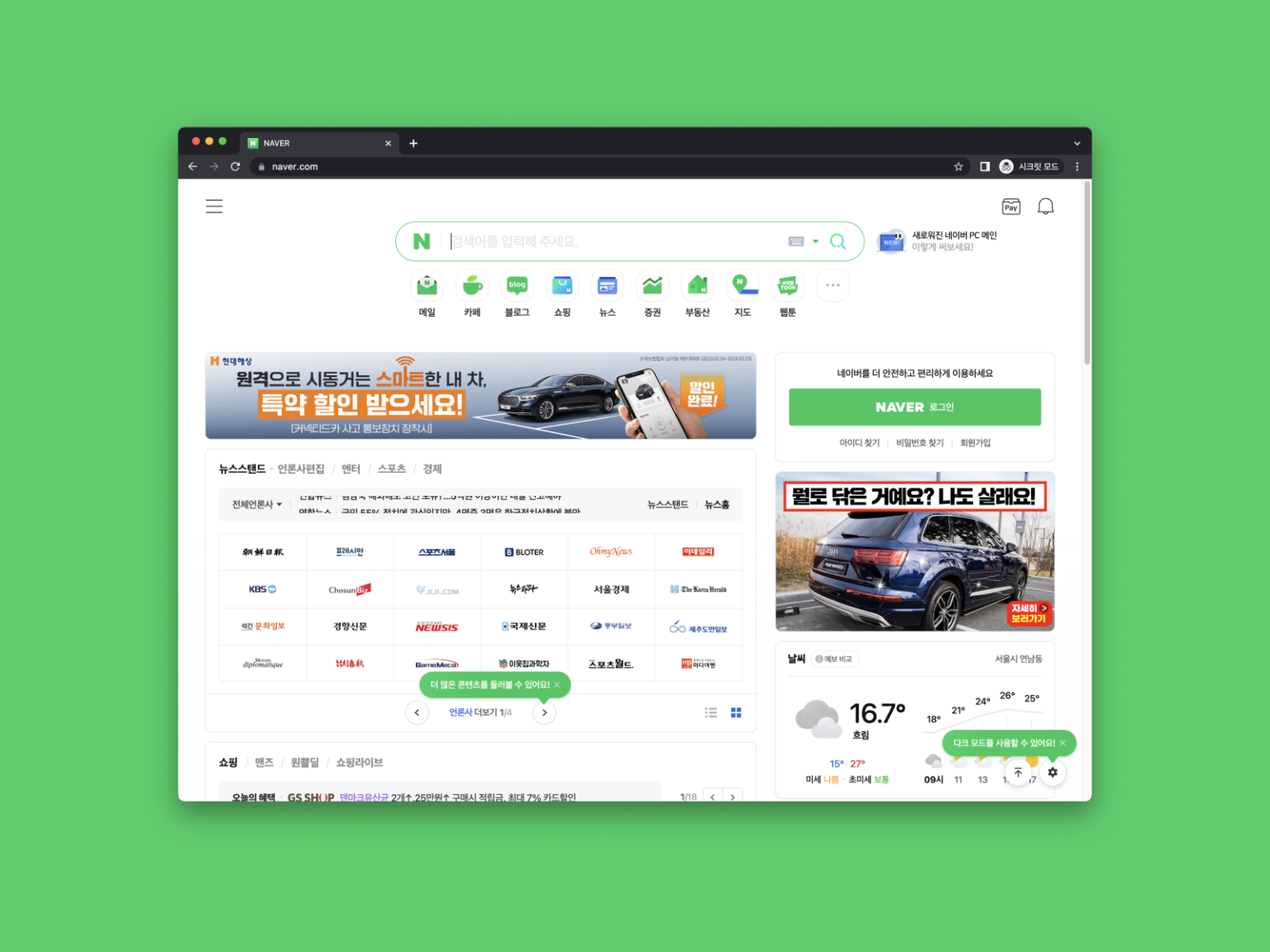
Naver PC Home Renewal: From NAVER to N

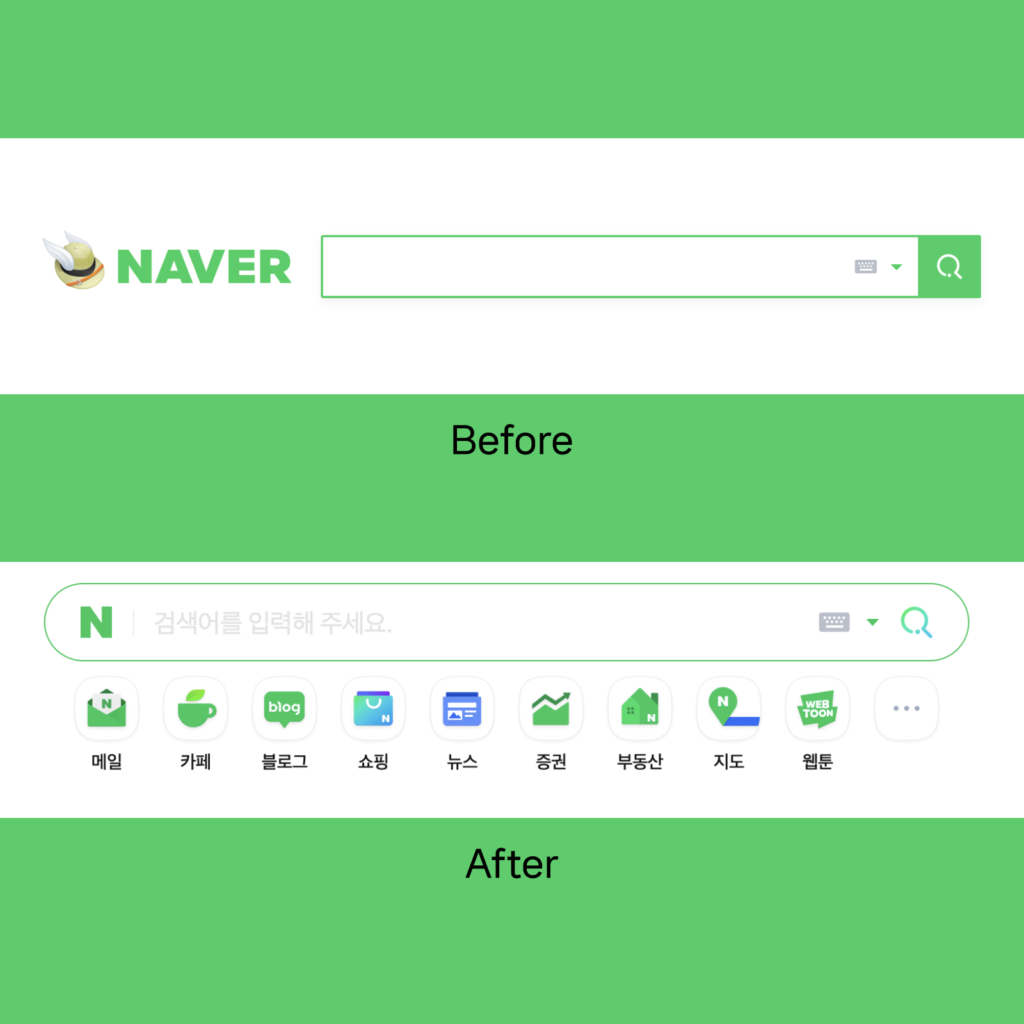
On the 17th, Naver unveiled a new PC Home. It's been 3 years since the PC main reshuffle in October 2020. At a time when mobile users have tripled PC users, we've moved our mobile-centric experience to PC as well.
Menus, Naver Pay, notifications, etc. used on mobile can be used in the same location, and functions used on mobile can be used naturally on PC.

©Naver 2023

👁️ Designer Eye

It was designed in consideration of various environments as it is used by the whole nation. A layout is provided so that you can use it comfortably on any PC screen. On a screen with a horizontal size of 2560px or more, information is displayed in three vertical columns. If the horizontal size is smaller than this, it will change to 2 stages. The mobile version is available as a link to the mobile version at the bottom when the horizontal size is reduced to a mobile size.

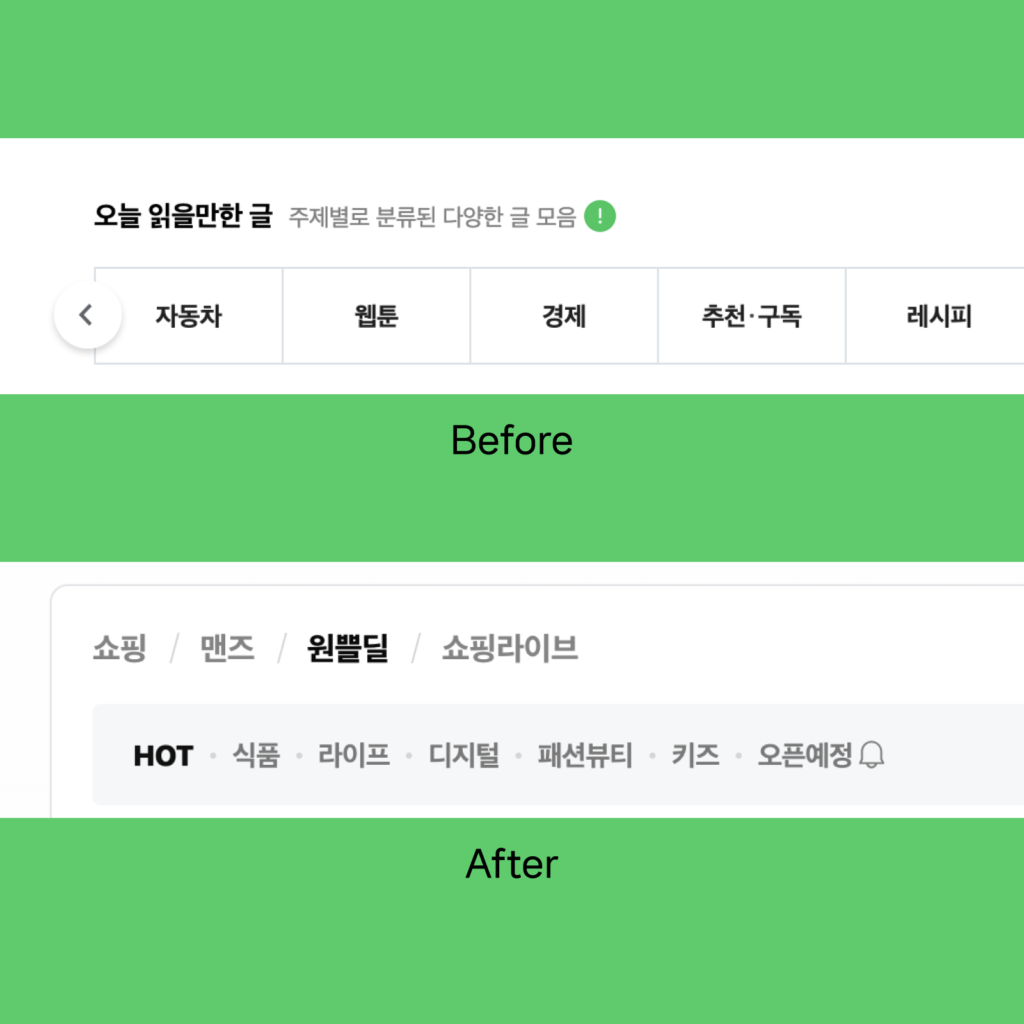
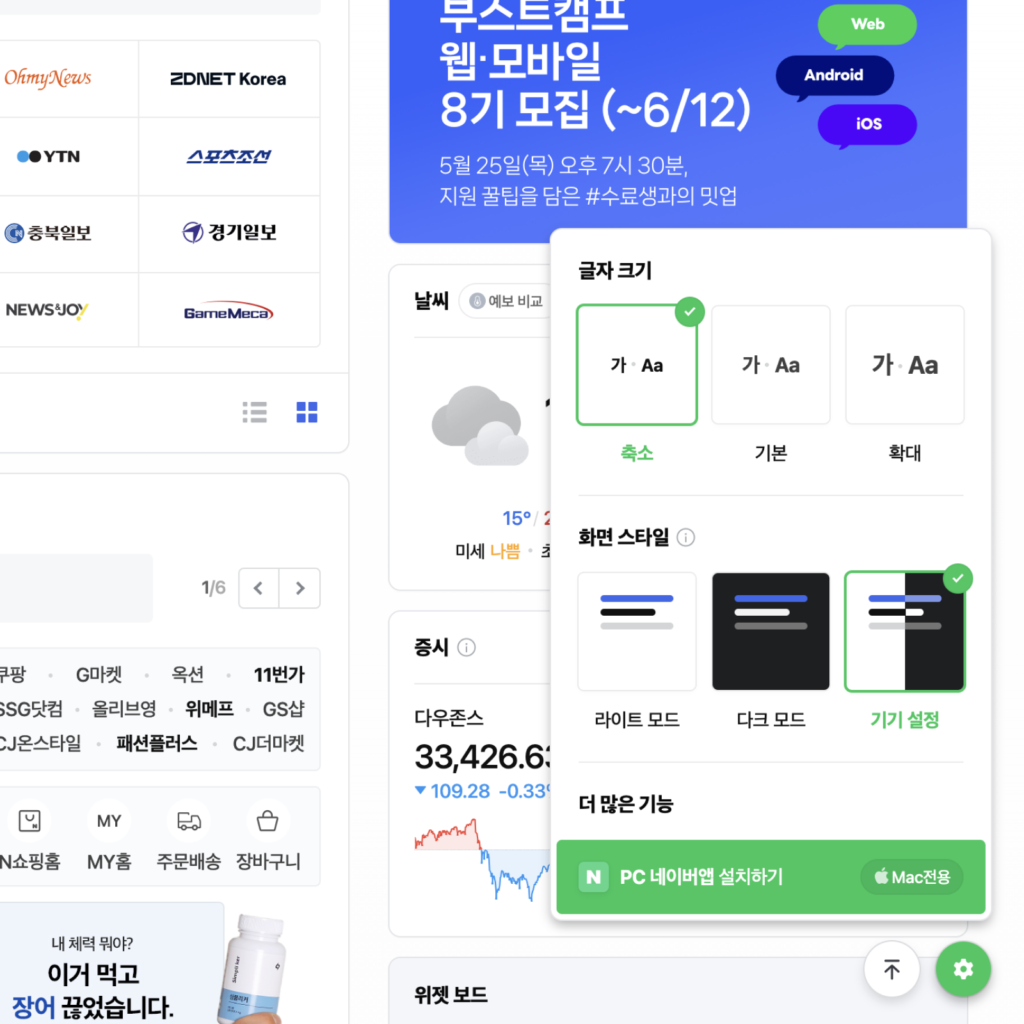
It has been changed to a GUI that is easy to browse content while maintaining the existing visual language of Naver. The vertices of the container that binds the information have been rounded a lot. Tabs that used to be outlined are separated by a / (slash), and detailed tabs are separated by a dot in the middle on a gray background. You can set up more visual experiences by tapping the gear icon in the lower right corner. You can adjust the font size by selecting one of reduced, normal, and enlarged. You can also adjust the brightness of the screen by selecting light mode, dark mode and device settings.

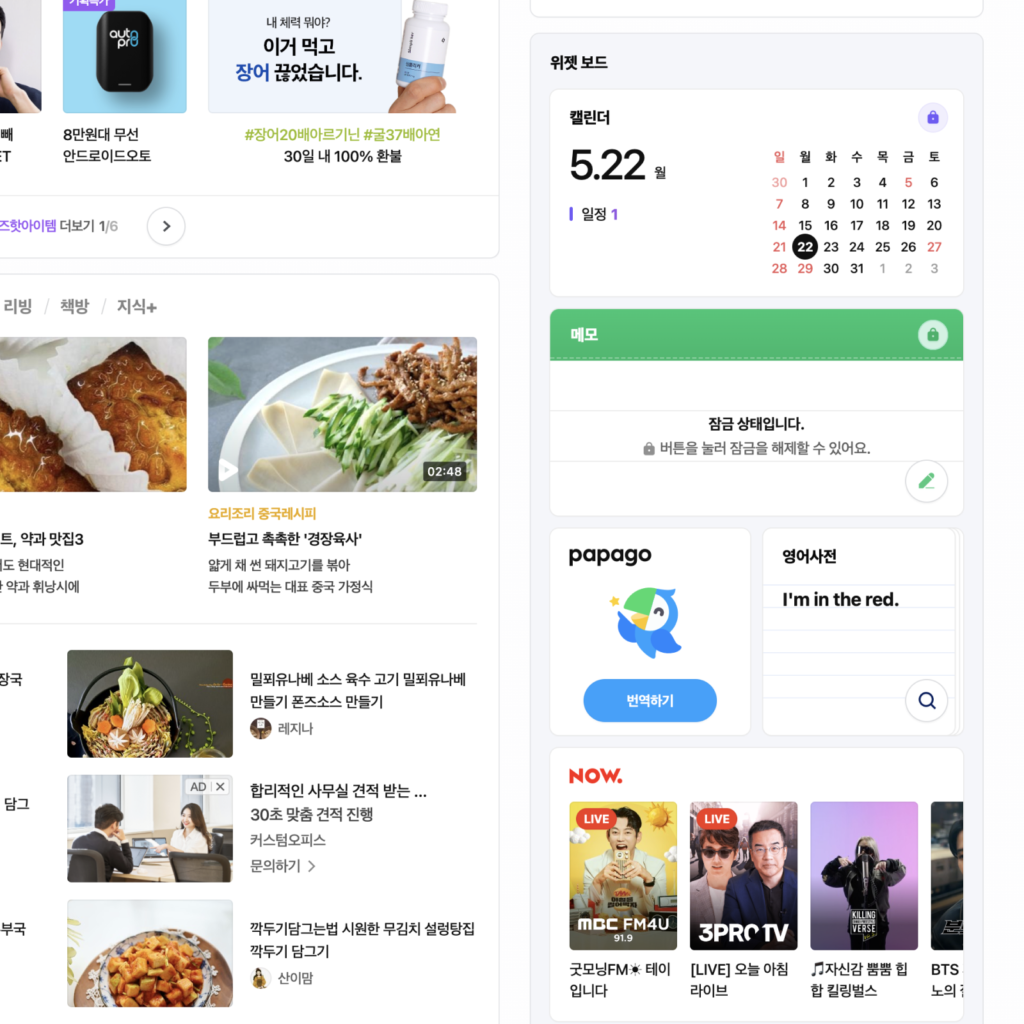
We brought the mobile experience while keeping the existing PC experience. naver.com and m.naver.com are different. Content displayed on NAVER App, mobile and NAVER PC is different. In PC Home, you can immediately find frequently used functions such as news and stock market. Plus, when you select an app from the widget board, a new window pops up, giving you a mobile app-like experience. It also provides the ability to lock sensitive information such as calendars and notes.

©Naver 2023
©Naver 2023
©Naver 2023
©Naver 2023

📕 Editor's Notes

I think it's a great answer to bring the mobile experience while preserving the PC experience. There are many patterns of using a mobile device as it is on a PC for efficiency, but there is a big experience difference between controlling a small vertical screen with your fingers and controlling a large horizontal screen with a keyboard and mouse. The PC will gradually change to a mobile-oriented UX pattern, but it is a wonderful change that allows the user to use the PC comfortably without any inconvenience in the transition period.

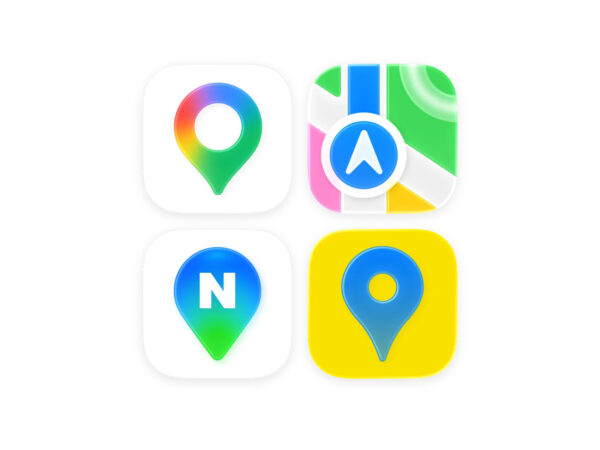
The PC Home, the symbol of NAVER, has changed to a mobile home, and the 'N' symbol remains instead of the 'NAVER' logo. PC web search is the symbol of Naver. From the dot-com days until now, the most important role in Naver's growth has been 'search'. When the whole nation had a question, they searched it in the green window on a PC. Now it's a completely mobile era, and Naver has also changed to a service that goes beyond search. I think a lot.

More and Sources

Similar posts

recent posts

Open KakaoTalk room without ads
Plus
26. 01. 14
Plus
26. 01. 12
Plus
26. 01. 09

DesignCompass Newsletter

Design for Business. We deliver daily news about AI, Products, Brands

By submitting your email, you are deemed to have agreed to our Terms of Use and Privacy Policy .
Design for Business